RSS
Subscribe to RSS feeds and auto-queue downloads
VidBee can watch RSS feeds and automatically queue new items for download. This is perfect for channels, playlists, or creators that publish regularly.
Get an RSS feed URL
If you already have an RSS link, use it directly. If you do not have one, generate it with RSSHub:
- Open the RSSHub routes documentation to browse available feed routes.
- Find the platform you want to follow (YouTube, Twitter/X, etc.).
- Fill in the required parameters and copy the generated feed URL.
RSSHub Instances
Many RSSHub feeds use the rsshub.app domain, but the official instance is protected by Cloudflare. VidBee cannot directly access the official instance, so you'll need to use one of these alternatives:
- Self-hosted RSSHub: Deploy your own instance for reliable access
- Public instances: Check the RSSHub instances guide for a list of available public instances
- Community instances: Other users may have set up public instances you can access
Choose an instance that is reliable and accessible from your network.
Add an RSS subscription
- Open VidBee → RSS.
- Click Add RSS.
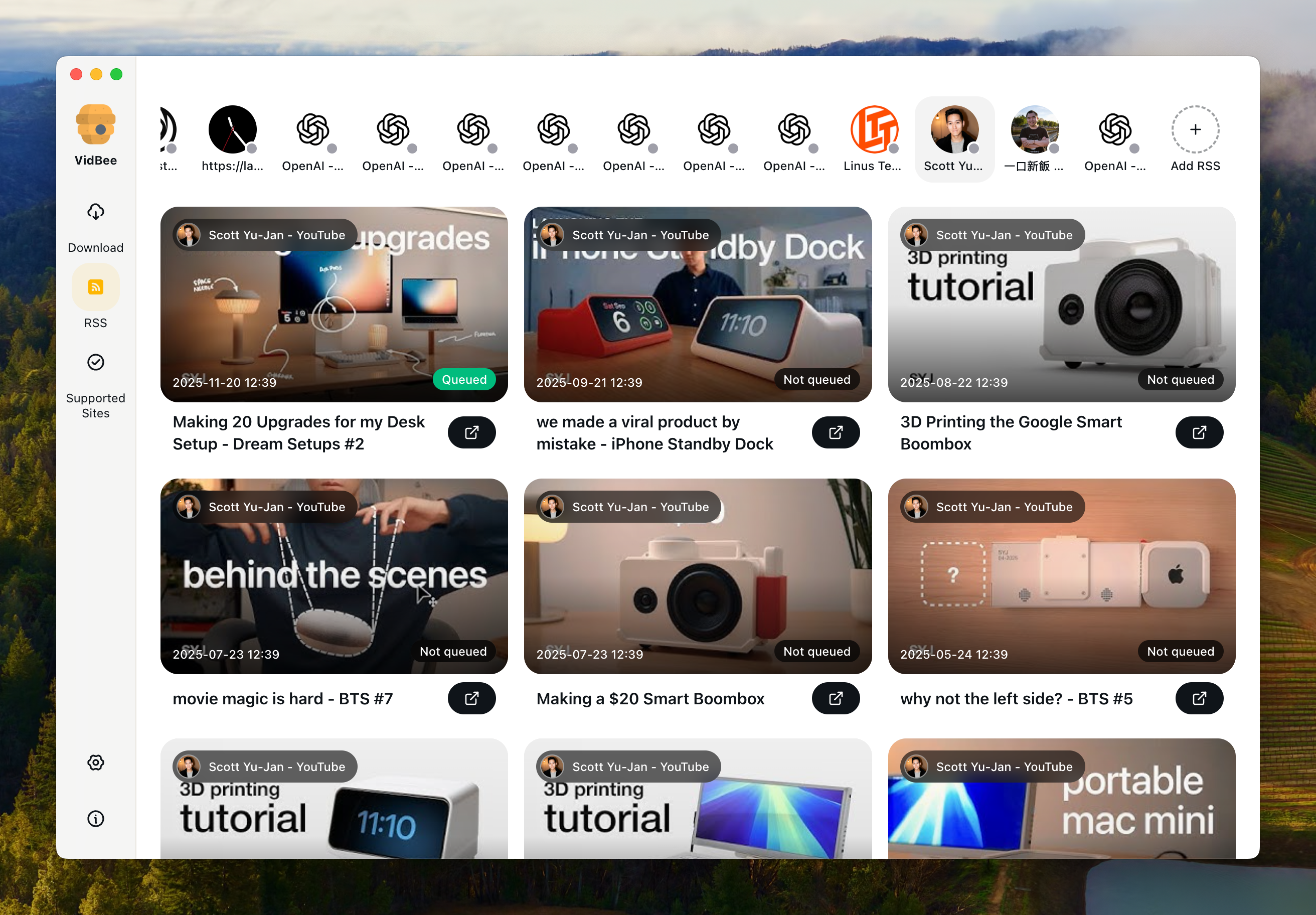
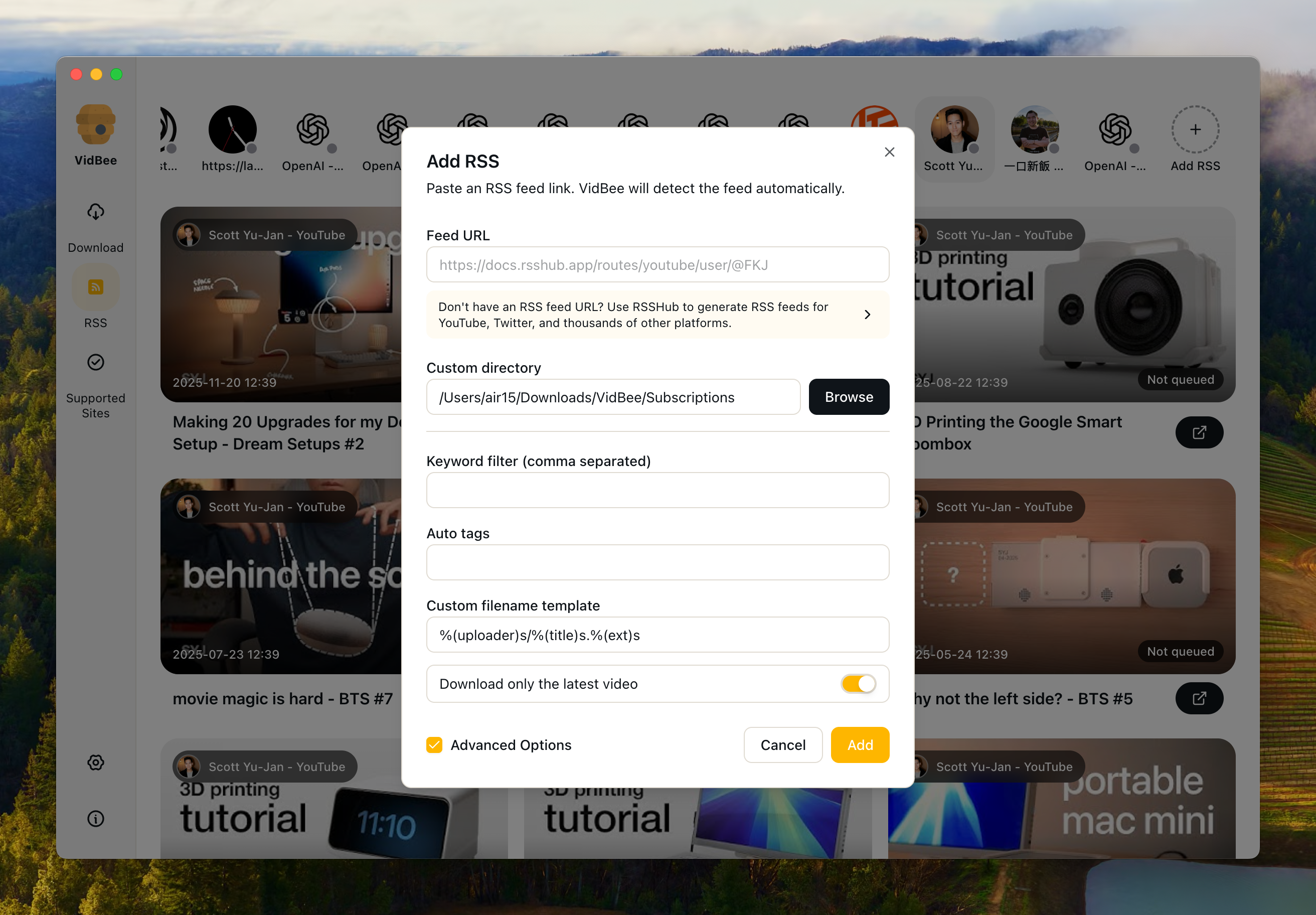
- Paste the RSS feed URL. VidBee will detect the feed automatically.
- (Optional) Choose a Custom directory for downloads.
- (Optional) Enable Download only the latest video if you only want the newest item.
- (Optional) Open Advanced Options for:
- Keyword filter (comma separated)
- Auto tags (comma separated)
- Custom filename template (yt-dlp style placeholders)
- Click Add to save.
What happens next
- VidBee checks the feed periodically and queues new items automatically.
- Items appear in the RSS list with their queue status.
- You can edit, refresh, disable, or remove subscriptions at any time.
Troubleshooting
- Feed URL invalid: Verify the URL opens in a browser and returns RSS/Atom XML.
- Duplicate feed: Each RSS URL can only be subscribed once.
- No new downloads: Confirm the subscription is enabled and the feed has new items.